Measurement Equipment Monitoring: “We Use a Validated Excel Spreadsheet for That” – When a Spreadsheet Becomes a Critical System

Last week I was back in a pharmaceutical lab. Audit preparation. The lab manager showed me her equipment overview: "Everything's running perfectly. We have a validated Excel spreadsheet for that."
She says it with the same certainty with which others speak about their LIMS.
I nod. I look at the file. 30 columns. 340 rows. Nested IF formulas. Color codes whose logic only the former intern, who left two years ago still understood.
"Does it still work reliably?" I ask.
"Sure. As long as nobody overwrites the wrong cells."
Welcome to the reality of test equipment monitoring in Excel. A system that shouldn't really be a system at all.
Excel itself isn't the problem. The role it plays is.
Let's make one thing clear: Excel is an excellent tool. Flexible, powerful, universally available. For ad-hoc analyses, quick lists, project planning – unbeatable.
The problem begins when a tool becomes a production system.
When a simple table suddenly becomes central monitoring of measuring instruments.
When the equipment logbook, calibration plan, and maintenance history all reside in a single file – and the auditability of the entire laboratory depends on it.
Then we won't be talking about Excel anymore.
Then we'll talk aboutShadow IT in regulated environments.
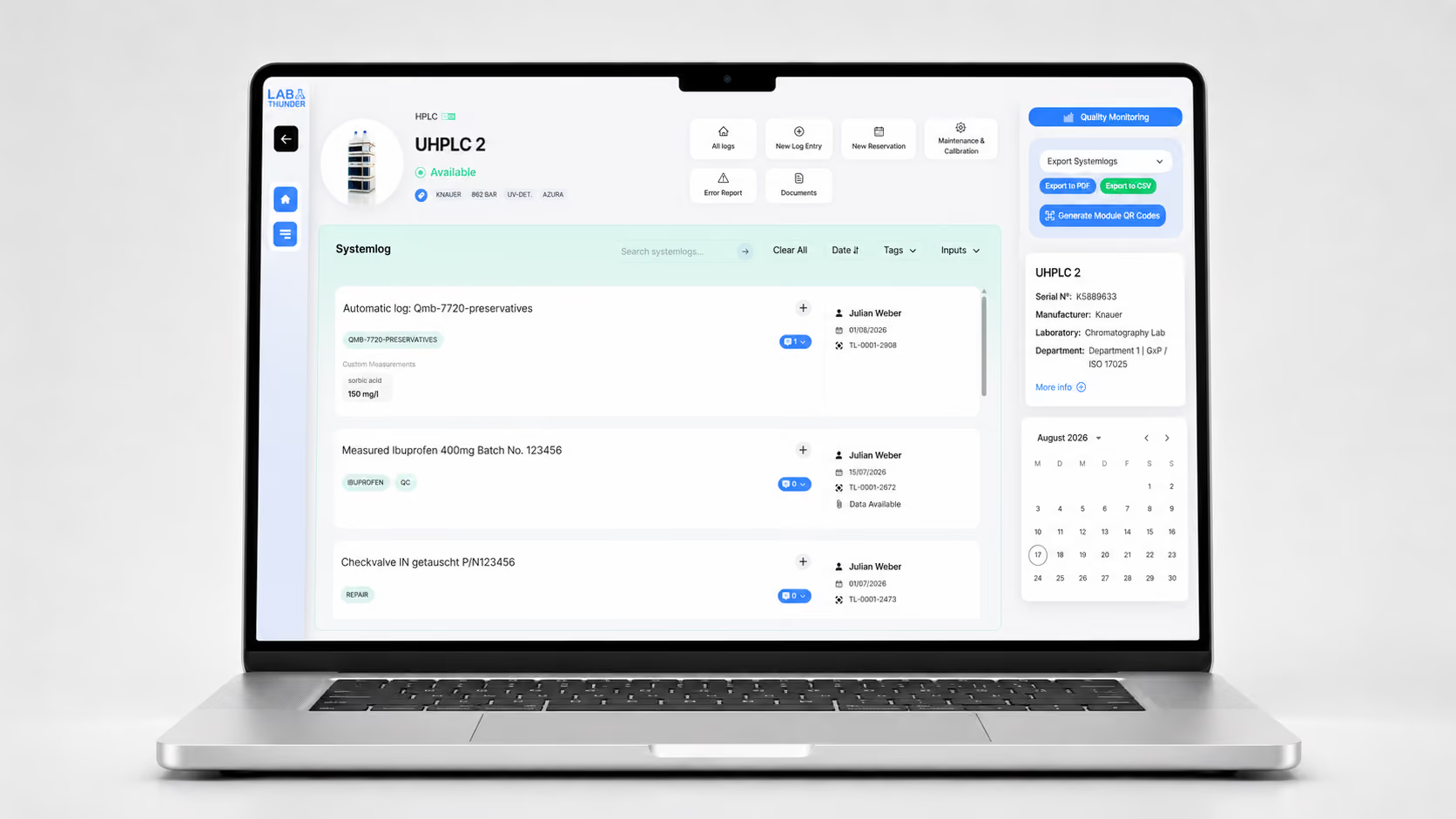
[[image-1]]
How it begins (and why it always begins logically)
The story is almost always the same.
A new analytical instrument is being purchased. HPLC, balance, pH meter – it doesn't matter. Someone from the team quickly creates an Excel spreadsheet: serial number, calibration interval, next maintenance date.
It works.
The first quality management audit is running smoothly. The auditor gives its approval. The internal audit finds nothing to criticize.
So it grows.
More devices are added. Someone adds a column for repair costs. A colleague creates a macro for the due date overview. The colleague from quality assurance requests conditional formatting for overdue calibrations.
After three years, there are six tabs, 20 linked cells, and a VLOOKUP formula that spans three worksheets.
Nobody decided to make a system out of it.
It just happened.
The moment when things get critical
The tipping point comes gradually. It manifests itself in sentences like these:
"The file has become terribly slow. But we don't know why."
"Please use the version 'Geräteliste_Final_V8_wirklich_final_Mai.xlsx'. Not the other one."
"Ask Thomas. Only he knows how the formulas are structured."
"Please do not move anything into column M. Otherwise the whole thing will crash."
At this point, it becomes clear: This is no longer a table. This is an unofficial test equipment management system.
Without architecture.
Without version control.
Without a role concept.
Without a real audit trail.
And yet, the following depend on it: equipment availability, calibration planning, GMP documentation, and compliance.
Why it still feels safe
Because familiarity is mistaken for security.
Everyone knows Excel. It's on every computer. No one needs training. There are no IT projects, no approval processes, no months-long introduction.
One Test equipment management softwareHowever, this means:
- change
- Lernaufwand
- Project work
- Budget
- Coordination with IT and QM
So, the status quo remains.
Not because he's good.
But because the known risk feels less threatening than the unknown change.
The hidden risks behind “validated”
"Validated" sounds like quality. Like control. Like security.
But what does that mean in concrete terms?
Mostly: At some point, it was checked whether the file does what it's supposed to.
But then:
- Who checksany subsequent change?
- Who ensures that formulas are not accidentally overwritten?
- Who can detect subtle logic errors?
- Who documents structural adjustments in an audit-proof manner?
In a professionalTest equipment monitoring softwareThese would be standard functions:
✓ Roles and permissions
✓ Full audit trail
✓ Automatic versioning
✓ Mandatory fields and plausibility checks
✓ Structured database with integrity
In Excel, everything depends on user behavior.
And that is precisely the case in regulated environments – ISO 17025, ISO 15189, GMP – themost uncertain factor of all.
The problem for GMP and ISO laboratories: detectability
In pharmaceutical or accredited laboratories, it's not just about organization.
It's about Complete traceability.
- When was a testing device taken out of service?
- Who changed the status – and why?
- Was the change reviewed by a second person?
- Is the history fully reconstructible?
An ExcelcanIt can technically represent that. But it cannot robustly secure it.
This creates a paradox: The system is accepted even though it is structurally fragile.
During an inspection visit, this becomes a weak point.
When knowledge is not part of the system
The biggest risk is not technical.
It's an organizational matter.
In many laboratories, system knowledge exists outside the file:
"Claudia knows how it's structured."
This is no joke. This is aSingle Point of Failure.
Vacation. Illness. Job change.
Suddenly, not just one person is missing – but a part of the laboratory organization.
A realTest equipment management softwareseparates:
- Process logic(anchored in the system)
- Data(structured in a database)
- User knowledge(documented, not person-related)
Excel merges everything into one file – and in doing so, makes it vulnerable.
Scaling: The invisible breaking point
What works for 15 devices breaks down for 150.
More data.
More users.
More locations.
More interfaces to other systems.
Excel is not designed to support a growing test equipment management system in the long term.
Then the following occur:
- copies(“Why are there three versions of the device list?”)
- Sub-listsper department
- Manual transfersbetween files
- Media breaks(Excel → PDF → Paper → Signature → Scan → Filing)
And that's exactly where mistakes happen that nobody notices immediately.
A missing calibration interval. An undocumented device replacement. An outdated maintenance history.
Until the auditor asks.
Why the transition is so difficult
The biggest obstacle is not technical.
He is emotional.
"It's working after all."
"That's how we've always done it."
"Auditors have never objected."
But "never been complained about"is not a quality criterion.
It simply means that the risk has not yet materialized.
Until it does.
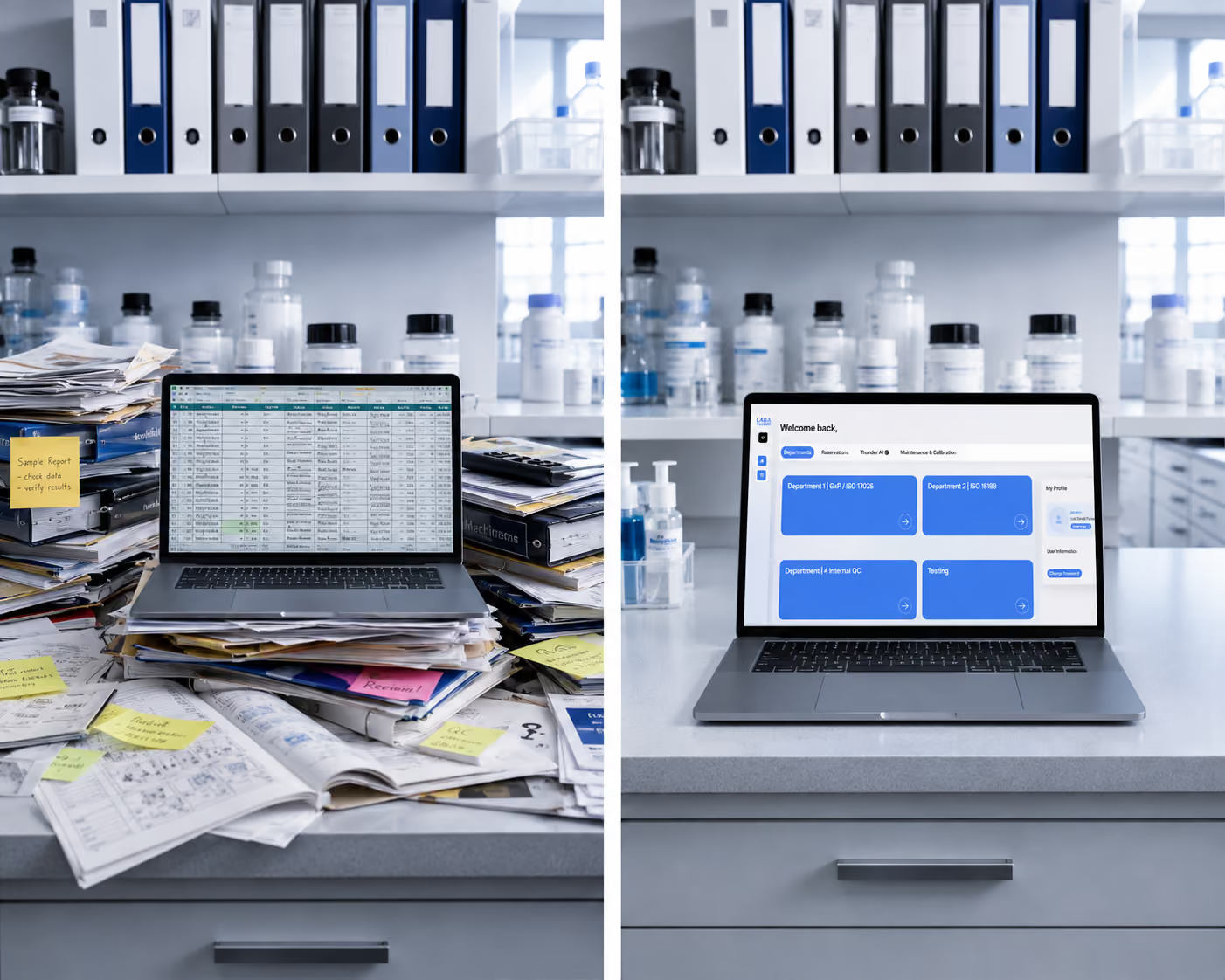
[[image-2]]
The way out – without changing everything at once
Nobody has to throw their entire system overboard tomorrow.
The key is:proceed in a structured manner.
Step 1: Create transparency
Which Excel files are truly critical?
Where is the monitoring of measuring instruments or the device logbook connected?
Step 2: Assess the risk
- Single Point of Failure? (Only one person understands the logic)
- No complete history?
- High change frequency without traceability?
Step 3: Define the data model
What are devices? What are testing instruments?
What states, status changes, and dependencies exist?
Step 4: Plan the transition
Excel will remain the data source for now.
The logic is gradually being integrated into test equipment monitoring software.
Step 5: Document knowledge
Not just data migration.
Also document the decision-making logic, processes, and responsibilities.
The goal: A truly paperless laboratory
A paperless laboratory doesn't just mean "no paper".
It means: structured, systemically secured information.
- Device history fully traceable
- Maintenance is scheduled automatically
- Changes documented in an audit-proof manner
- Knowledge is not person-specific
This is true laboratory digitization.
Not because it sounds modern.
But because it reduces dependencies, eliminates sources of error, and ensures compliance.
Excel wasn't wrong
And this is important to understand:
Excel was often the right solution.
At the right time.
For the right size.
With the resources available at the time.
The problem isn't the tool itself. It's that it was never understood as a temporary solution.
It has grown – while the demands have exploded.
Eventually, a flexible tool becomes a digital Jenga tower where every change feels dangerous.
The better question
Not:
"Do you have a validated Excel file?"
Rather:
"Is your system scalable, traceable, and independent of individuals?"
If the honest answer is "not quite" – that's not a criticism.
It's simply the moment when many laboratories stop.
And this is precisely where true laboratory organization begins – not with a new tool, but with the decision to consciously design structures.
Checklist: Does your laboratory need a professional solution?
Check honestly:
☐ Are there any critical Excel files for test equipment or device logbooks?
☐ Does more than one person know the complete logic?
☐ Are all changes fully and auditably traceable?
☐ Is there true version control (not "Final_v12")?
☐ Does the system scale location transfers?
☐ Does it also work when there is a change in personnel without knowledge transfer?
If you answered "no" to several questions:
Then it's time for a professionalTest equipment management software came.
Not because Excel is bad.
But because your lab has outgrown it.
Conclusion
Excel can finally be what it does best again:
A tool. Not the foundation of your lab IT.
Because true laboratory organization begins where systems not only function – but also remain stable when people leave, processes grow, and auditors take a closer look.
Typische Fragen zum digitalen Prüfmittelmanagement im Labor
Is there free test equipment monitoring software as an alternative?
Free test equipment monitoring software can be a good starting point, especially for very small labs or those with a limited number of devices. In practice, however, such solutions often only cover partial aspects. Maintenance, calibration, device status, responsibilities, and audit-ready documentation are usually not fully integrated, which leads to increased manual effort and limited transparency as complexity grows.
At the same time, there are now modern SaaS-based laboratory management solutions like LabThunder that require no internal IT operations and follow a usage-based pricing model. By billing based on the number of user accounts actually required, maintenance, test equipment, and calibration processes can be managed in a structured and compliant manner, even with a limited budget. This creates a commercially viable alternative between free standalone solutions and classic, high-cost enterprise systems.
Is Excel permissible for ISO 17025 test equipment management?
Theoretically yes, but practically unsuitable. Excel can meet the formal requirements of the standard, but usually falls short on data integrity, change tracking, and multi-user capability. Modern auditors are increasingly critical of Excel-based solutions, since a genuine audit trail is lacking and version conflicts are hard to trace. As the number of pieces of test equipment or sites grows, Excel lists reach their limits sooner rather than later.
Why are Excel spreadsheets no longer sufficient for monitoring test equipment?
Excel lacks audit trails, user management, automation, and integration with logbooks or maintenance cycles, and it is prone to errors. It does not meet the requirements for ISO 17025, ISO 15189, or GMP.
What is test equipment monitoring?
Test equipment monitoring refers to the systematic control of all measuring and testing equipment with regard to calibration intervals, technical condition, and suitability for their intended use. The goal is to ensure that only validated and approved devices are used.